It was built for the networks other messengers abandon: slow, congested, and flaky. If your connection is weak, these low-data tips keep your chats fast and your calls clear.
Why Zangi handles weak networks well
The app minimizes its dependence on connection speed at the protocol level, squeezing messages and calls through narrow pipes instead of demanding broadband. In practice this means texts go through on connections where other apps spin forever, and calls degrade gracefully instead of dropping.
If you are new here, the Zangi homepage has the complete overview.
Text first, always
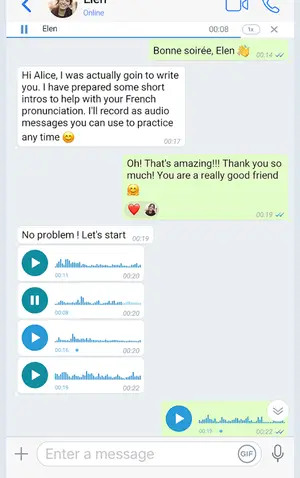
Text messages cost almost nothing. When the network is truly bad, switch the conversation to text or voice notes, which the app compresses efficiently and delivers reliably. A one-minute voice note uses a fraction of a live call's data.
Call tweaks for bad networks
Drop video calls to voice-only when quality suffers; voice needs far less bandwidth. Stay on one network instead of hopping between Wi-Fi and mobile data mid-call. If audio turns robotic, hang up and redial rather than suffering through it; the second attempt often negotiates a better route. More fixes live in our call troubleshooting guide.
Media settings
Send photos at standard quality instead of original size when bandwidth is tight; recipients can request the full file later. Avoid auto-downloading large videos in group-heavy chats until you are back on Wi-Fi.
The bottom line
You do not need a special low-data mode when the app is already lean. Keep the Zangi APK updated, since each build refines the delivery engine, and weak networks stop being a reason to miss conversations.