
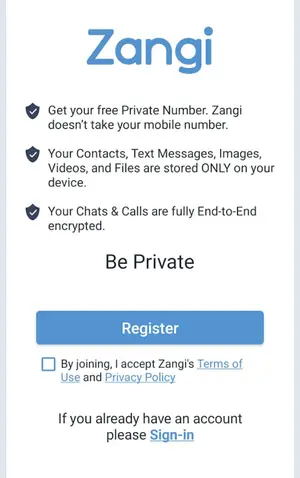
Private registration is the feature that makes the app different from every mainstream messenger. Instead of handing over your phone number, you receive a Zangi number: a private ID that is your entire identity inside the app. Here is how it works and why it matters.
How registration works
Open the app after installing the APK and the app walks you through a short setup. There is no phone number field, no SMS code, and no contact-upload prompt. At the end you hold a Zangi number, a unique identifier that friends use to reach you. The whole thing takes about a minute.
The Zangi Messenger homepage covers everything about the app in one place.
Your number, your rules
Think of the Zangi number as an unlisted number you fully control. Share it with friends, family, or colleagues and they can message and call you immediately. Share it with no one and you are invisible: no searchable directory, no suggested contacts, no way for a stranger to stumble onto your profile. This is the opposite of apps where anyone with your number sees your photo and status.
What this protects you from
Spam and stalking lose their entry point, because there is no public handle to target. SIM-swap account takeovers do not apply, because no SIM is involved. And because registration never touches your real number, the account cannot be linked back to your identity or your address book, which is exactly what our Zangi safety breakdown highlights as a core protection.
Tips for managing your number
Share your Zangi number through a channel you already trust, and keep a separate mental note of who has it. If it ever reaches someone you do not want to hear from, block them in the app and be more selective going forward. Your number is not your phone number, so rotating your sharing habits costs you nothing.
The bottom line
Private registration is the app keeping its central promise: your conversations belong to you. Get the app from the Zangi APK download page, claim your number, and hand it out like the keys to your house: only to people you would let inside.