
Installing the app takes about five minutes once you know the one quirk: the file is a 65 MB XAPK bundle, not a plain APK, so it needs a split-APK installer to open. This guide walks through every screen, from the Zangi APK download page to your first encrypted chat.
Before you start
You need an Android phone or tablet with roughly 200 MB of free space (the bundle plus unpacking room) and a split-APK installer app. Any reputable XAPK installer from the Play Store works; install it first so Android knows what to do with the bundle. No root, no special tools, and no Play Store account is needed for the app itself.
For the full picture, start at the Zangi APK homepage.
Step 1: Download the XAPK
Open the Zangi APK download page, wait for the short countdown, and tap the download button. The 65 MB file saves to your Downloads folder. Confirm the size after it finishes; a short file means an interrupted download and will fail later with a parse error.
Step 2: Open it with the installer
Find the file in your Downloads folder or notification shade and tap it, then choose your XAPK installer when Android asks which app should open it. The installer reads the bundle and shows you the app details: Zangi Private Messenger, , package com.beint.zangi. If the details match, you have the right file.
Step 3: Allow the install
Android will ask you to allow the installer app to install unknown apps. This is a per-app permission, safe to grant to an installer you trust, and you can revoke it afterward. Tap Install and wait for the progress bar; it usually finishes in under a minute.
Step 4: Register privately
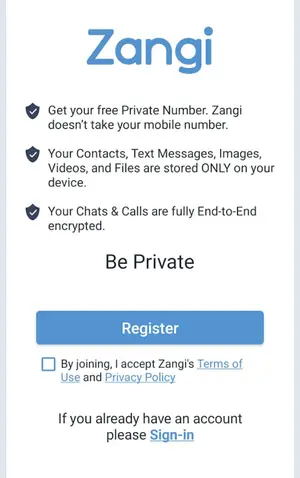
Open the app and complete the private registration to receive your Zangi number. No SIM card, no phone number, no contact upload. Share that number only with people you trust. Our Zangi private registration guide explains the number system in depth.
If something goes wrong
The two classic failures are tapping the XAPK directly (nothing happens) and the app not installed error (a signature conflict with an older copy). Both are covered with fixes in our Zangi install errors guide. For the XAPK format itself, see how XAPK installation works.
After the install
Once It is running, take two minutes to review permissions in Android settings and grant them as features need them. Then read up on whether the app is safe to understand exactly what it does and does not know about you. Welcome to private messaging done right.